



In this blog, data analysis expert Jurriën from Vimak guides us through the world of Power BI and shows you how to seamlessly integrate the tool with vPlan.
What is Power BI?
Power BI is a Business Intelligence tool that visualises data and makes it accessible on any device. With just one click, you can generate real-time overviews of the key data within your company. This simplifies data sharing and saves time. Power BI transforms your organisation’s data into actionable information, enabling you to conduct analyses and make targeted decisions. You can combine various data sources, such as ERP systems, planning software, payroll systems, and e-commerce platforms, making critical management information easy to interpret.

The Capabilities of Power BI Combined with vPlan
When you integrate Power BI with vPlan, you gain deep insights into your planning data, such as:
- Insight into actual vs planned hours: See how efficiently your team is working by comparing planned hours with the actual hours completed.
- Outstanding tasks by status: Get an overview of outstanding tasks per board, phase, or by month/week.
- Work in progress: Manage your backlog by understanding how many tasks and hours still need to be planned.
- Production overviews: Monitor the progress of production orders and compare them with the planned quantities.
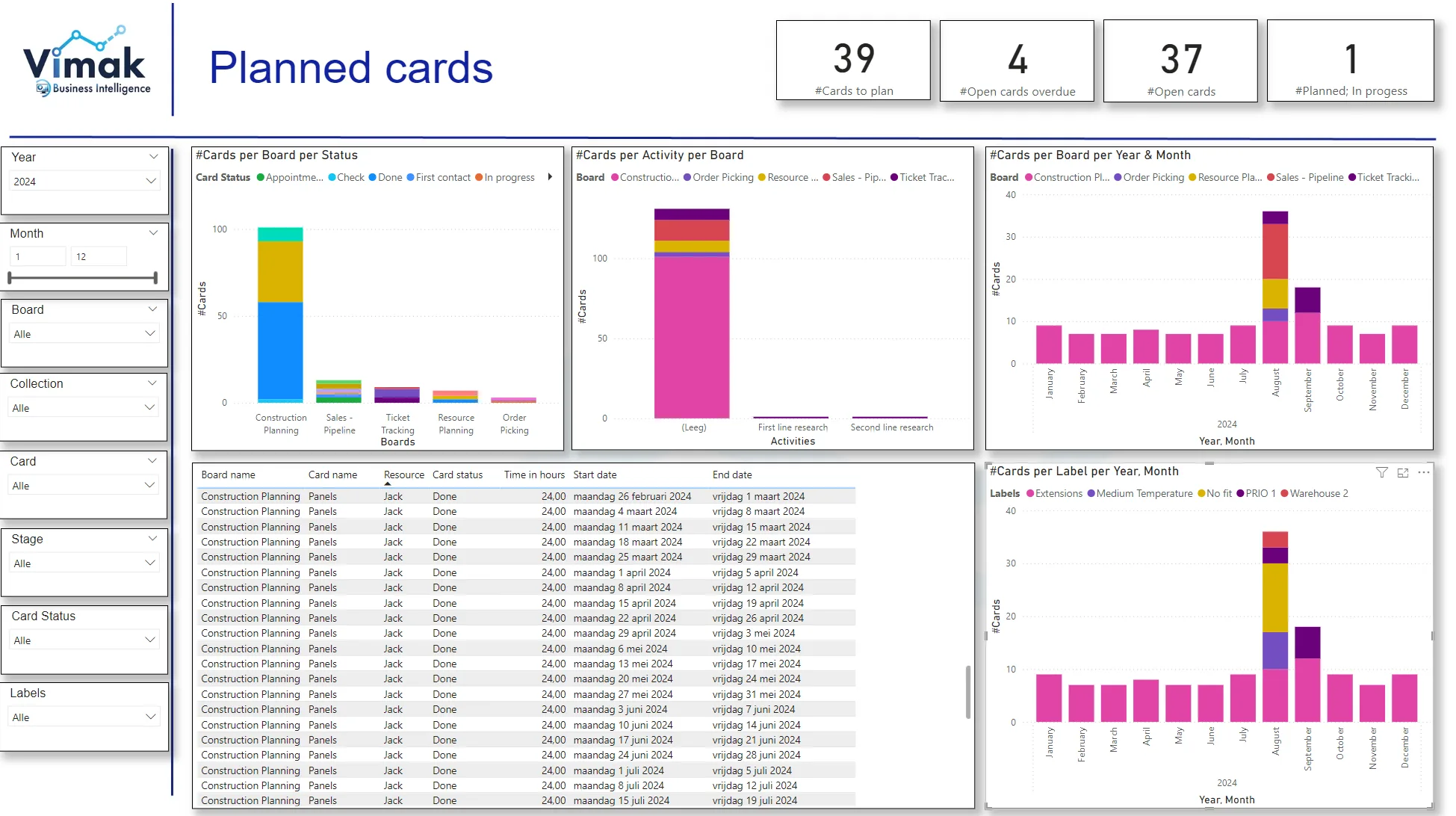
By combining data from vPlan with ERP information, you gain even more insights:
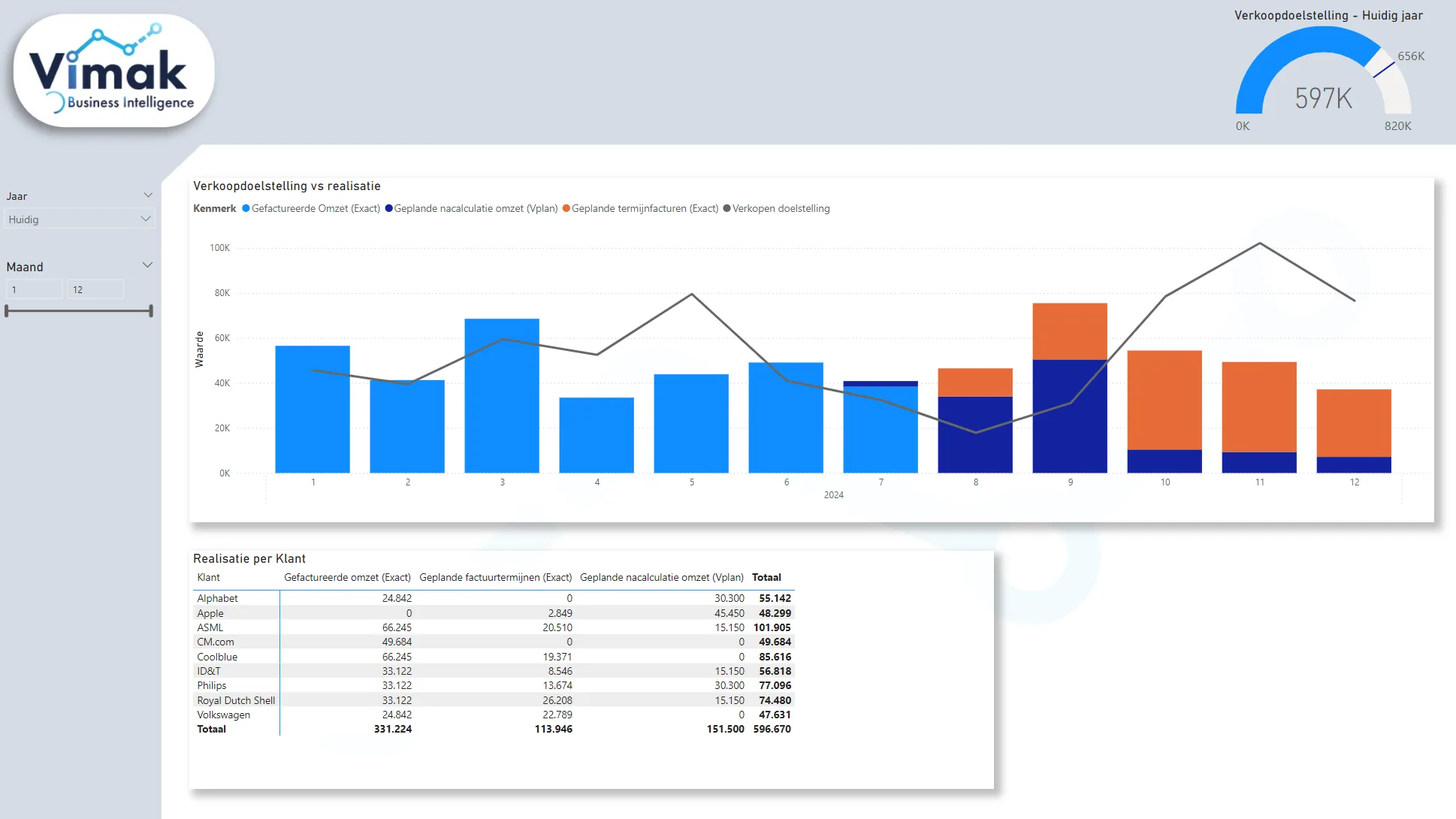
- Insight into actual vs planned and estimated hours per project and task: Track whether your projects are staying within the planned time.
- Revenue forecast based on planned hours: Get an accurate prediction of your revenue by analysing the planned hours.
- Employee efficiency: Analyse estimated vs actual time recorded by each employee.
- Cost per product: Calculate the labour cost per product by combining recorded time in vPlan with cost data from your ERP system.
Why Connect Power BI to vPlan?
Connecting Power BI to vPlan offers numerous benefits:
- Peace of mind and assurance: No longer rely on gut feelings for decisions about effectiveness or expected revenue. Make better decisions with clear, data-driven insights.
- Overview across multiple cards and boards: While vPlan provides visibility into the performance of a single board or card, Power BI offers an overview across multiple cards, collections, or boards.
- In-depth statistics: Accurately track the statistics of a card, including lead times and actual versus planned lead times.
Practical Example: vPlan and Exact Integration
We also use vPlan and Power BI reports ourselves. "At Vimak, we have integrated our Exact data with the information from vPlan. By multiplying the planned hours from vPlan with the hourly rates in Exact, we obtain an accurate revenue forecast. We have also included milestone invoices for fixed-price projects. This provides us with a complete view of the expected revenue for the coming months."
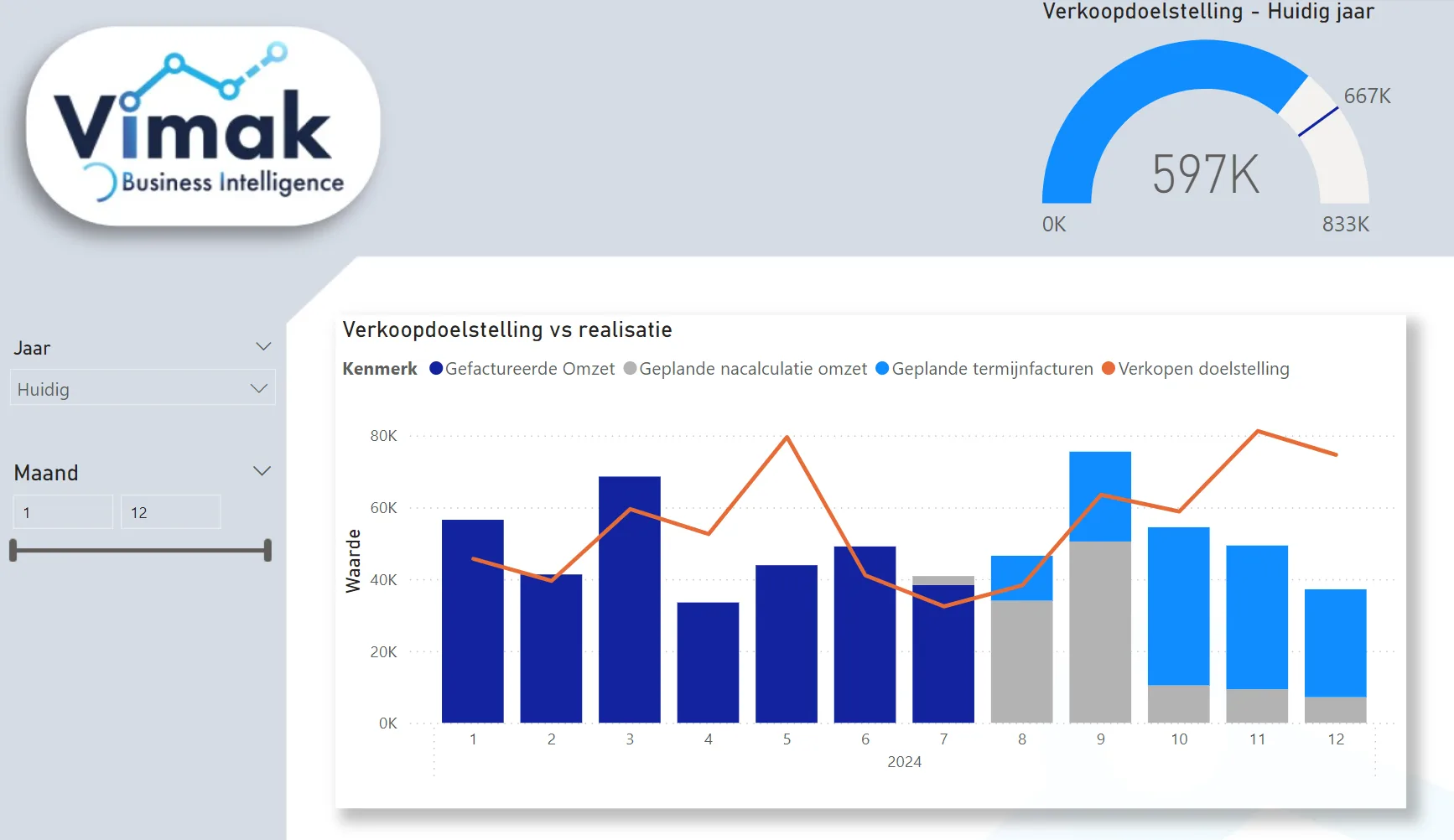
With vPlan and Power BI, you can make your planning process more efficient and your organisation more profitable. Want to learn more about the possibilities of Power BI in combination with vPlan? Get in touch with us!
Try it in your own vPlan
Every new feature is in the free trial.



