


Dynamic date range in filter
Within every view, you can utilize filtering by clicking on the 'funnel' icon. With the filter, you can easily and quickly display relevant cards. Now, within the filter, across all our views, you can use the dynamic date range. By enabling this new option, the chosen period will adjust according to the current date.
Let's illustrate with an example. Suppose you always want to see the schedule for the upcoming week. Then, in the date selection, choose the 7 days before today, for example, from next Friday to Friday. Then, enable the dynamic planning period, and you'll see all the cards from Saturday to Saturday the next day.
Thanks to dynamic planning periods, you can also choose to always display all cards planned for 5 days before today and 5 days after today. The choice is yours!
Group resources and easily display all work
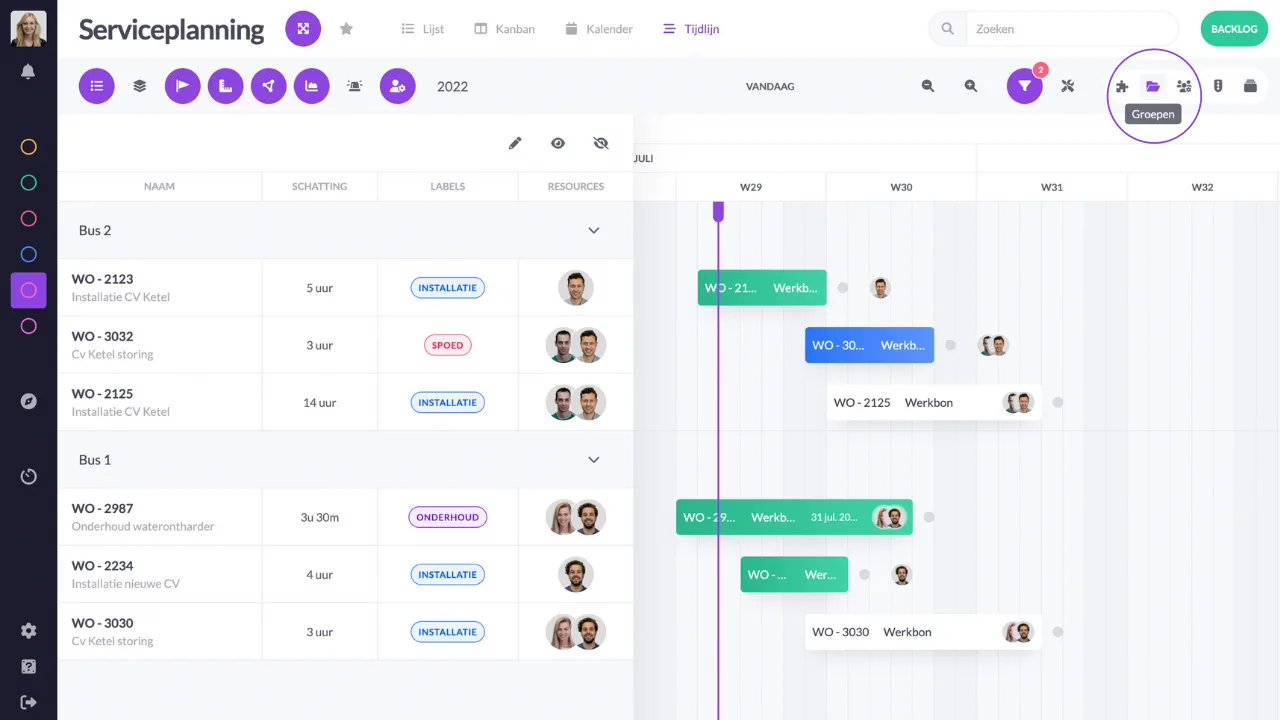
You can group your resources, from employees to machines. These are created within the vPlan configuration. Resource groups can be very useful when working in teams. Within the list view and timeline, you can now easily display all the work of your group within a new view: groups. This allows you to see all the planned work not only at the individual level but also at the group level.
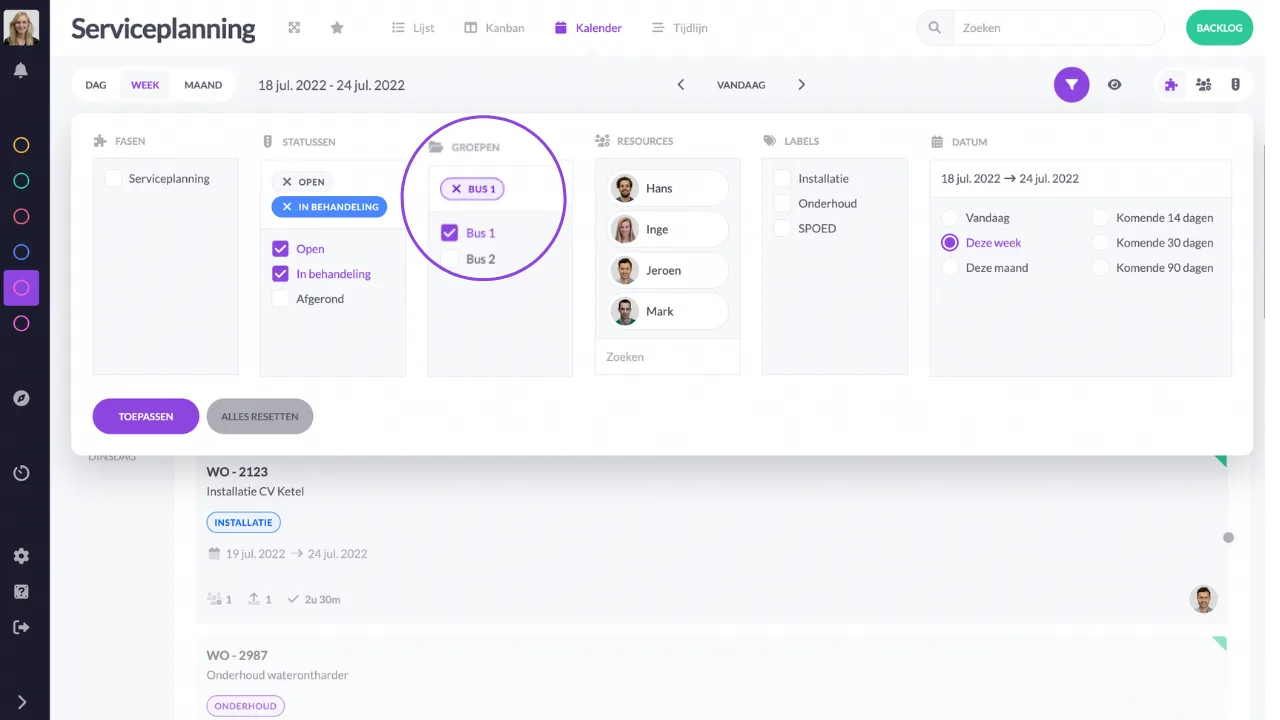
You can also easily filter by groups within any view. This allows you to quickly and easily see all the cards from your own team.
New automation: automatically archive collections
Perhaps your vPlan board is quite full of planned and unplanned cards that you no longer use. Then it's time to clean up your planning board. This can be done manually, but now it can also be automated. With our latest automation, you can automatically archive collections based on an expiration date that has passed. For example: automatically move all orders with an expiration date older than 30 days to the archive.
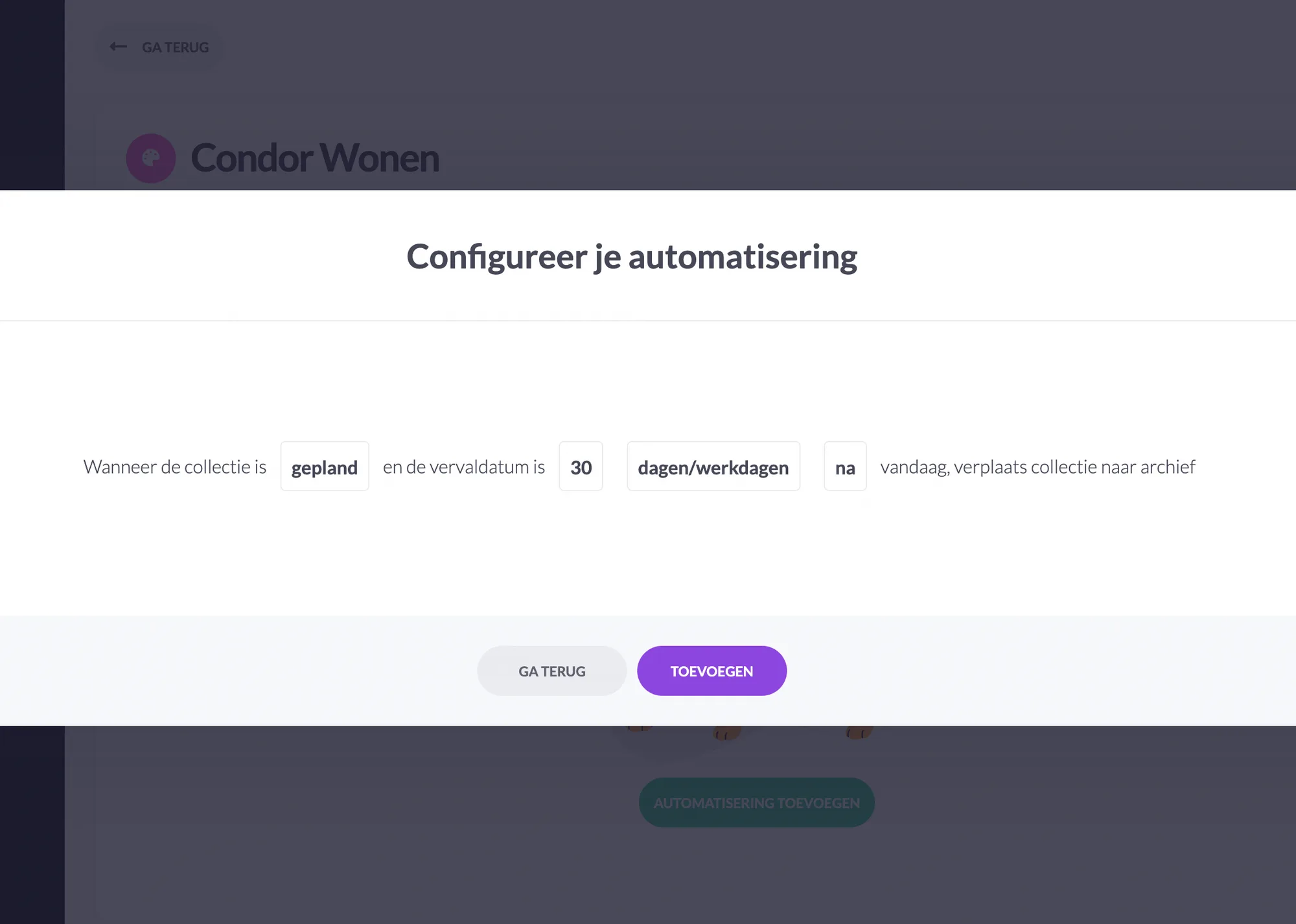
This automation can be set up for both the backlog and the planning board. Additionally, you can set a number of conditions for this automation.
Try it in your own vPlan
Every new feature is in the free trial.



