


🏠 What is vPlan Home?
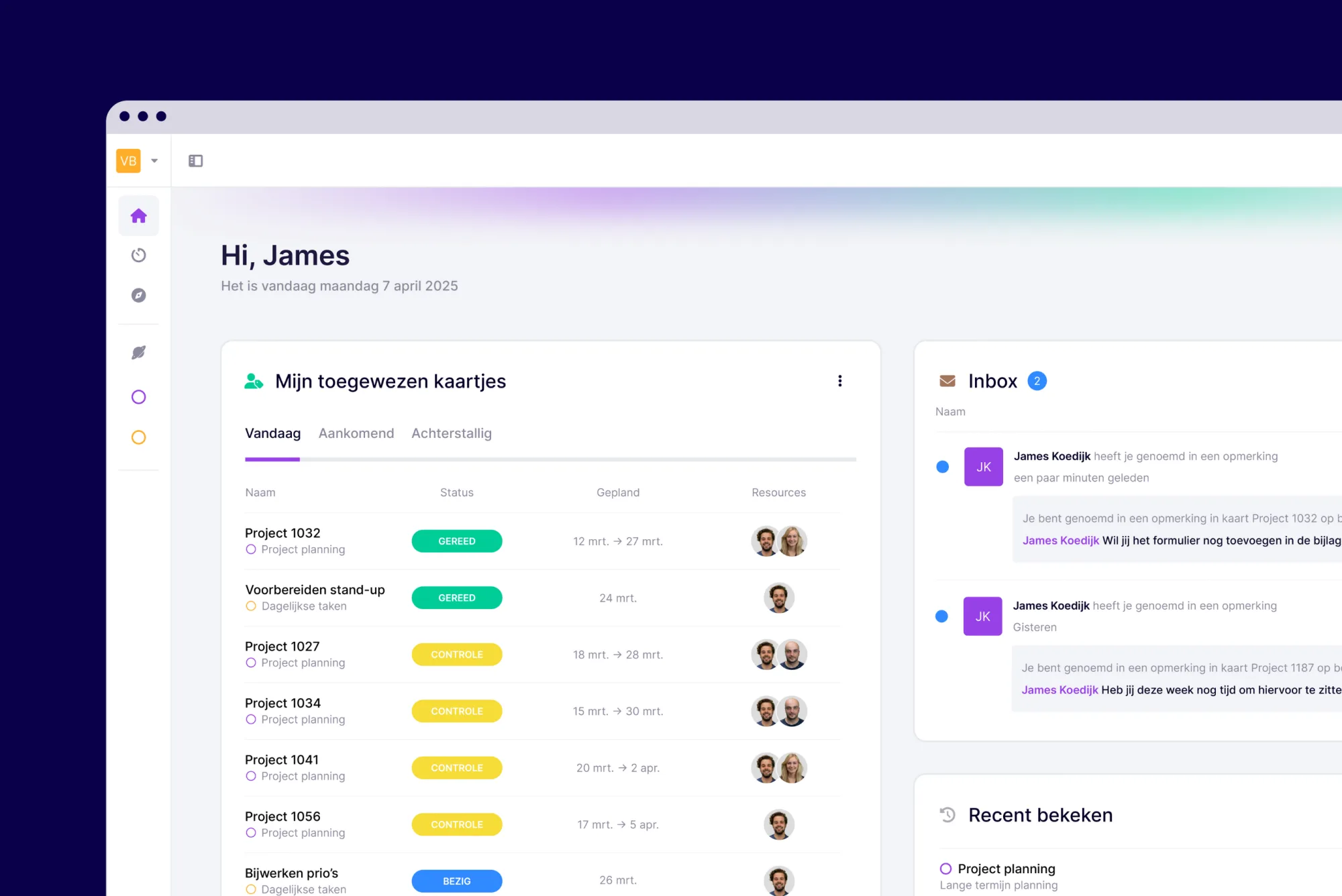
vPlan Home is your personal start page.
It displays information from multiple planning boards, conveniently grouped into different widgets.
Think of it as a central hub for all your tasks, updates, and anything else that matters to you.
🔎 Here’s what you’ll find in vPlan Home
My assigned cards
All cards (tasks) assigned to you across multiple planning boards — all in one place.
No need to switch between boards anymore; view all your tasks in a single, clear overview.
Inbox
Your personal message centre where all your notifications are gathered — including cards you’re tagged in, @mentions, and cards you’re following.
Everything is clearly sorted by: Today, Upcoming, or Overdue.
Recently viewed
A handy overview of all the cards, views, and planning boards you’ve recently opened.
Easily pick up where you left off without having to search.
Collections you follow
Are you following a card to stay informed about its progress?
You’ll find it here — so you never miss an update.
⚙️ Make your dashboard truly yours
At the top of each widget, you’ll see three dots.
Clicking them allows you to customise the widget entirely to your preferences.
For the ‘My assigned cards’ widget, the following options are available in the settings:
- Sort by: name, due date, or last modified
- Resize: choose how wide or tall the widget should be
- Toggle completed cards: decide whether or not to display completed cards
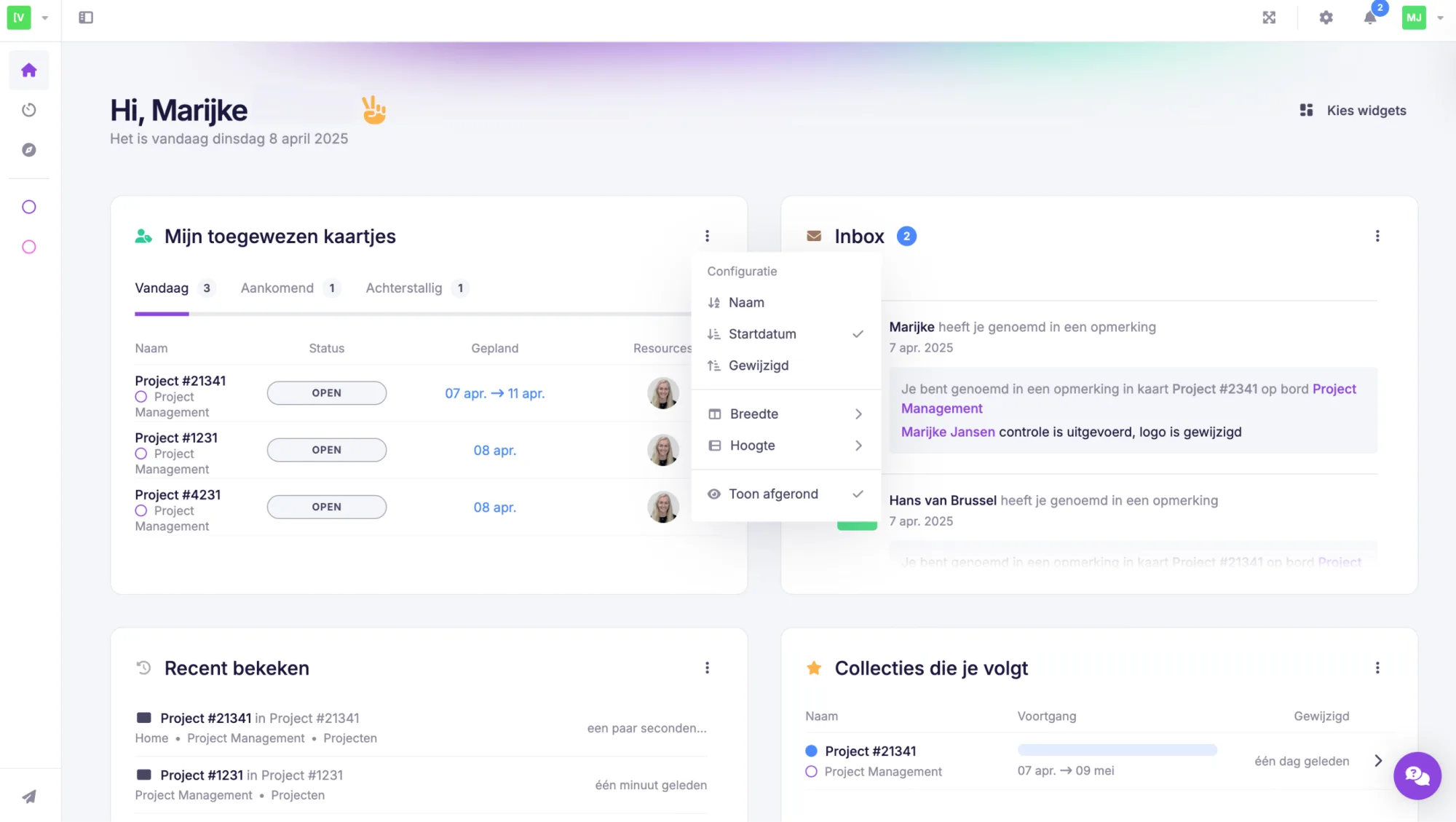
This is how you build your own overview, step by step exactly the way you like it.
🔔 Updated Message Centre
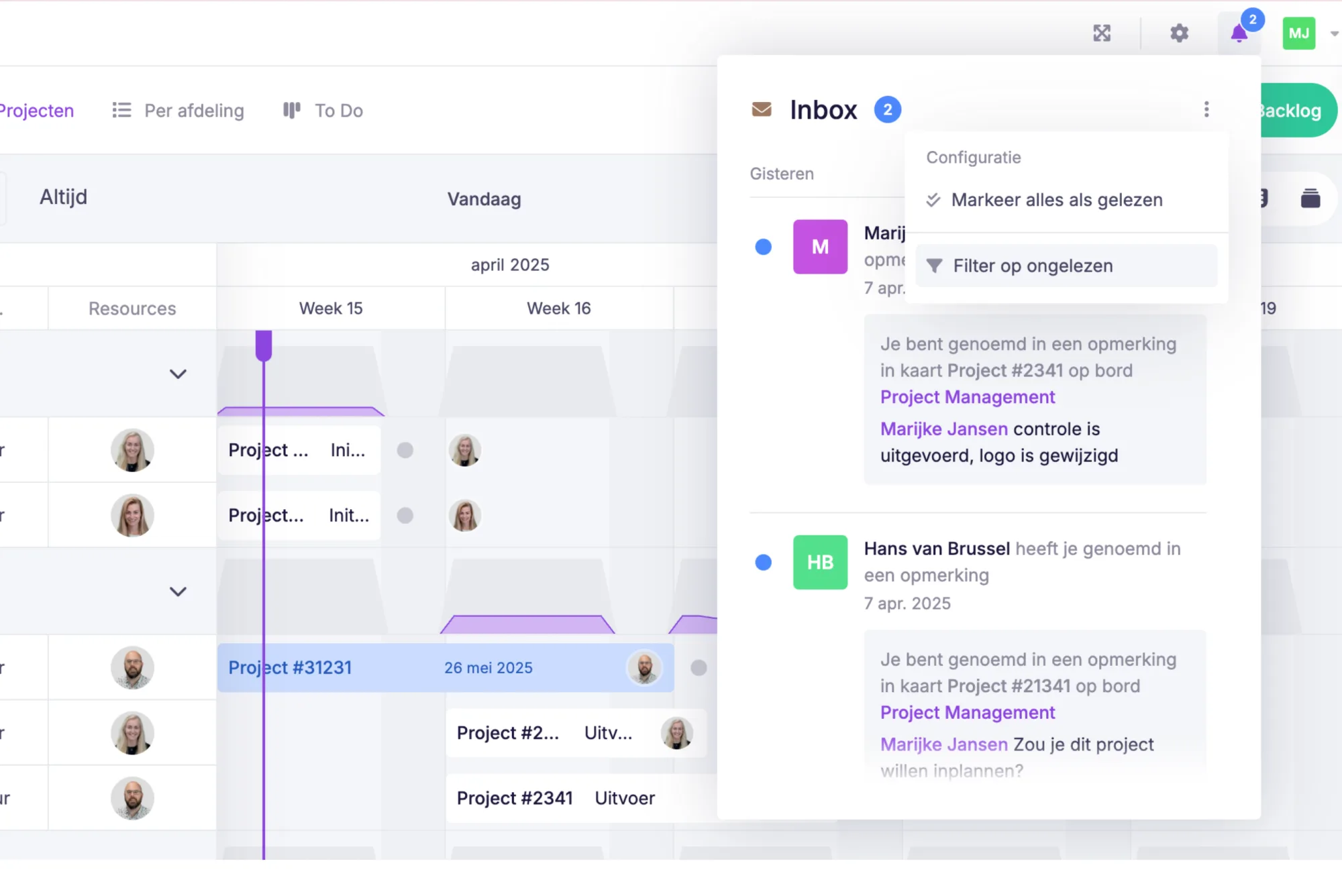
As you’re used to, you can open the message centre by clicking the bell icon in the top right corner.
The message centre has been updated and is now called Inbox.
You can now also filter to show only unread notifications, so you can immediately see what needs your attention.
📊 New: Insight into your usage
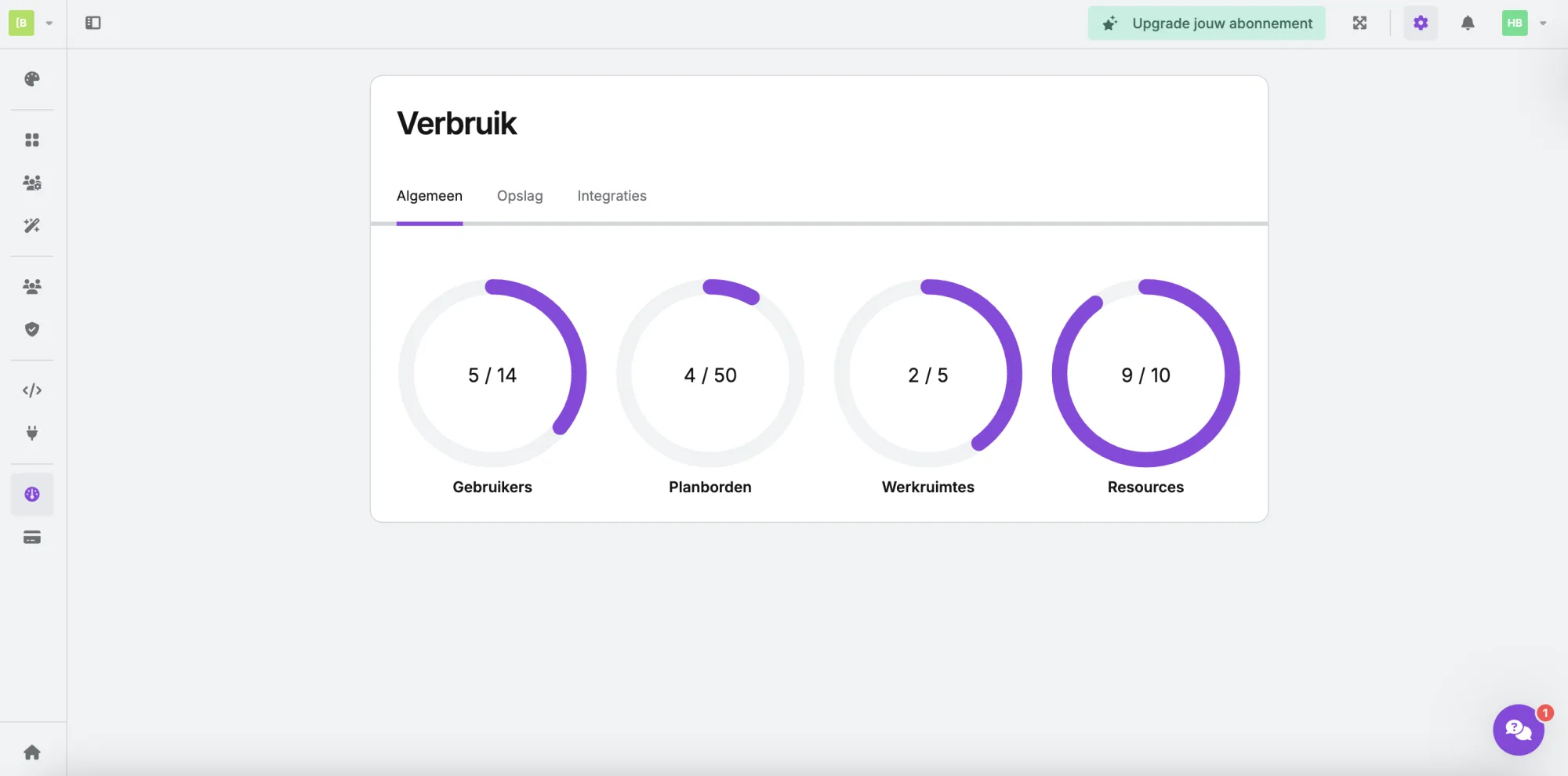
Curious about your account usage?
Click on your account in the top left corner and go to ‘Usage’.
Here, you’ll find a clear overview of how many users, resources, planning boards, and how much storage you’re using compared to your subscription.
👉 In short: vPlan Home gives you clarity, peace of mind, and control.
Try it out today and experience how convenient it is to have everything within reach!
Try it in your own vPlan
Every new feature is in the free trial.



