



In this blog, we explain step by step how to set up and execute capacity planning with vPlan. This way, you can clearly see which resources are available, how much work is scheduled, and where adjustments are needed. Control over capacity starts here!
In short: after reading this blog, you will not only understand what capacity is, but more importantly, how to apply it practically in vPlan. This way, you get the most out of your planning. Without stress, without guesswork.
1. Identify your resources
Start by identifying the resources you will use for your capacity planning. Add the appropriate resources to your planning board so you can gain a clear view of your capacity.
- Create a new resource if needed (for example, employees, machines or rooms).
- Make sure to assign the correct schedules to your resources, so you know how much time they are available.
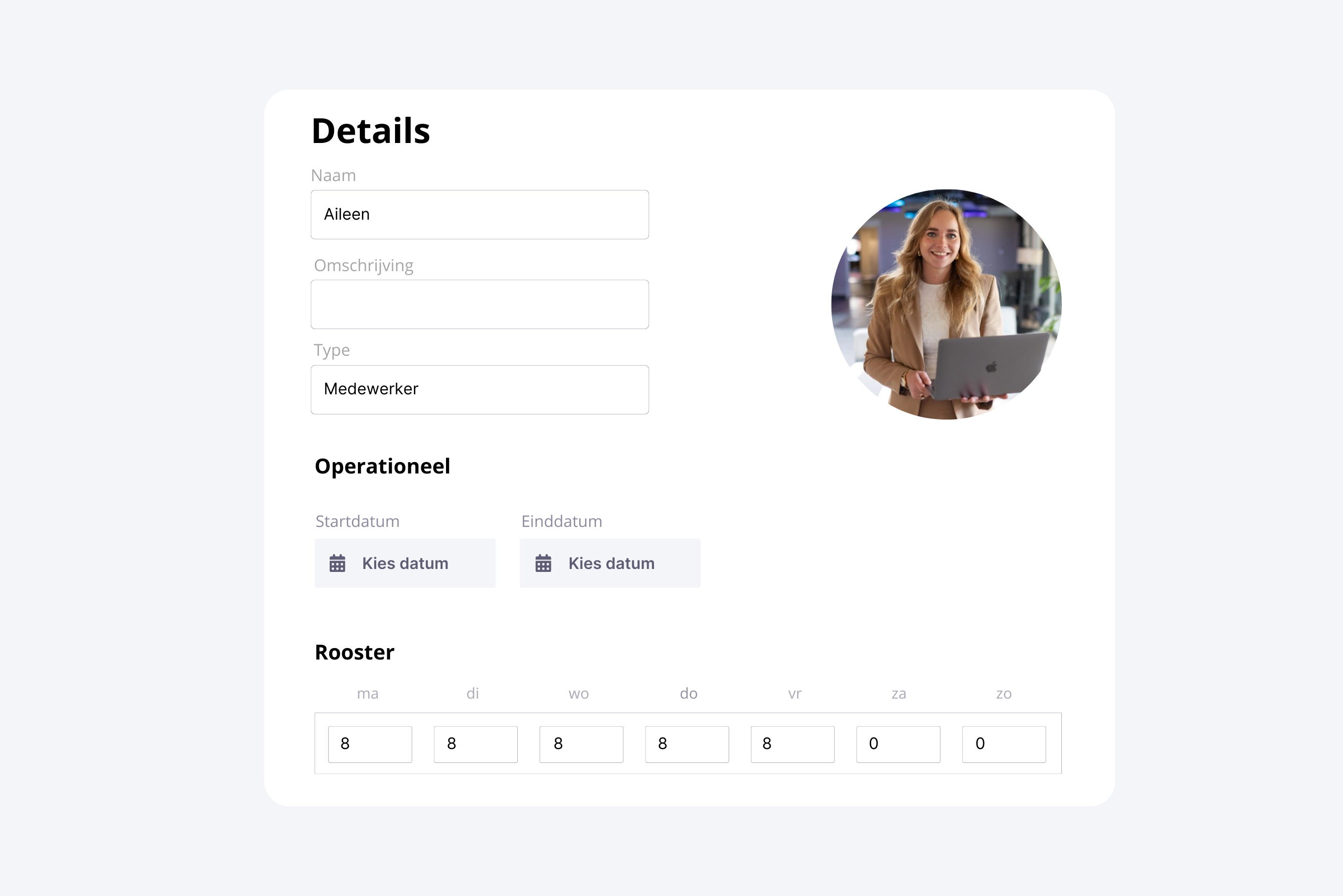
2. Link the resources to the planning board
Link the resources you have created to the planning board where you want to visualise your capacity planning. Decide how much of the available capacity you want to allocate to this planning board. In this example, Aileen works 40 hours a week and 100% of these hours are linked to the planning board.
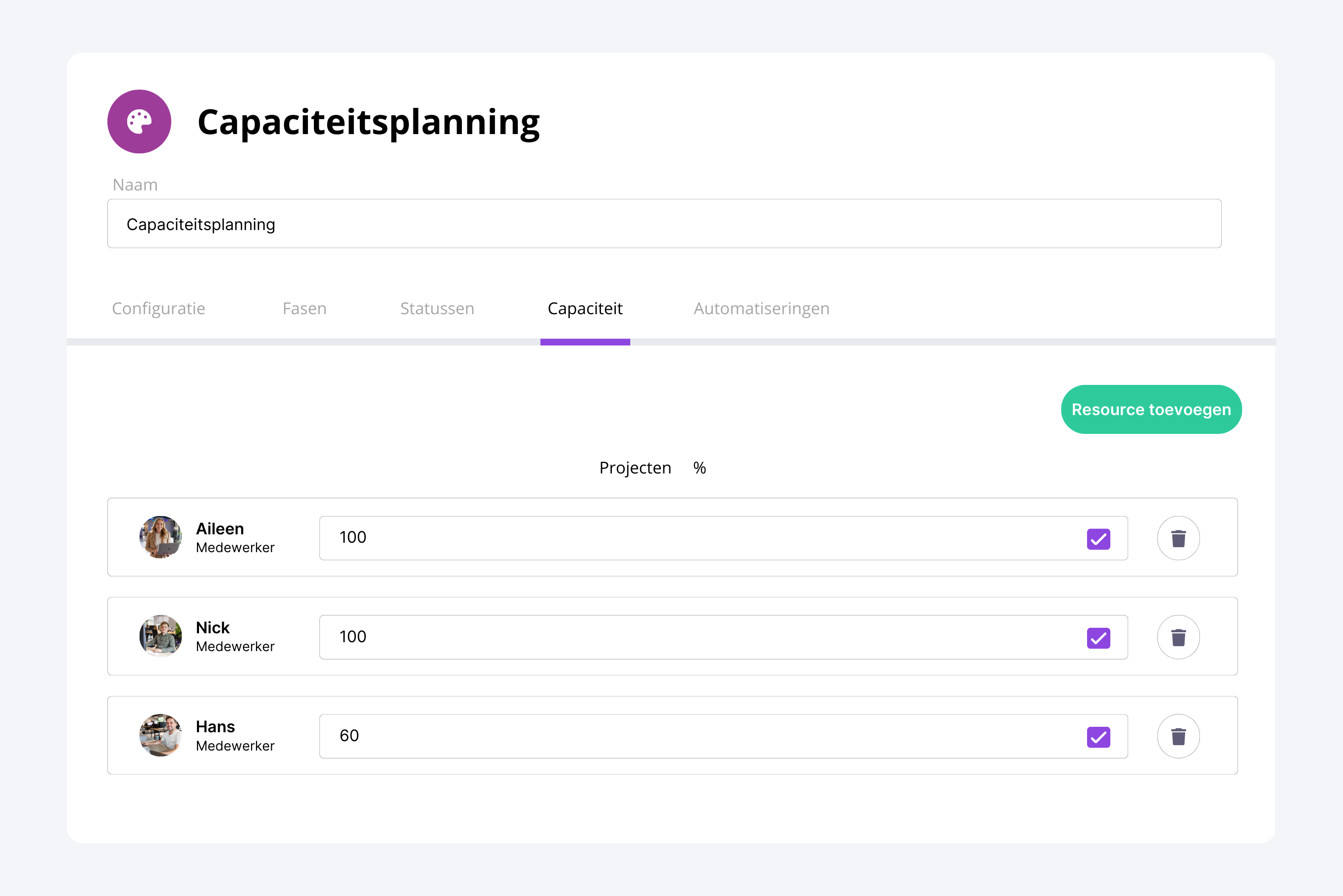
3. Add your work to the planning board
Make sure all the work you want to plan is available in the backlog.
Create different tasks or projects — in vPlan, we call these cards — and add the estimated number of required hours. In vPlan, these hours are called 'activities'.
If your work and hours are already recorded in another system such as an ERP system, you can integrate it with vPlan. This way, you don’t have to enter everything manually.
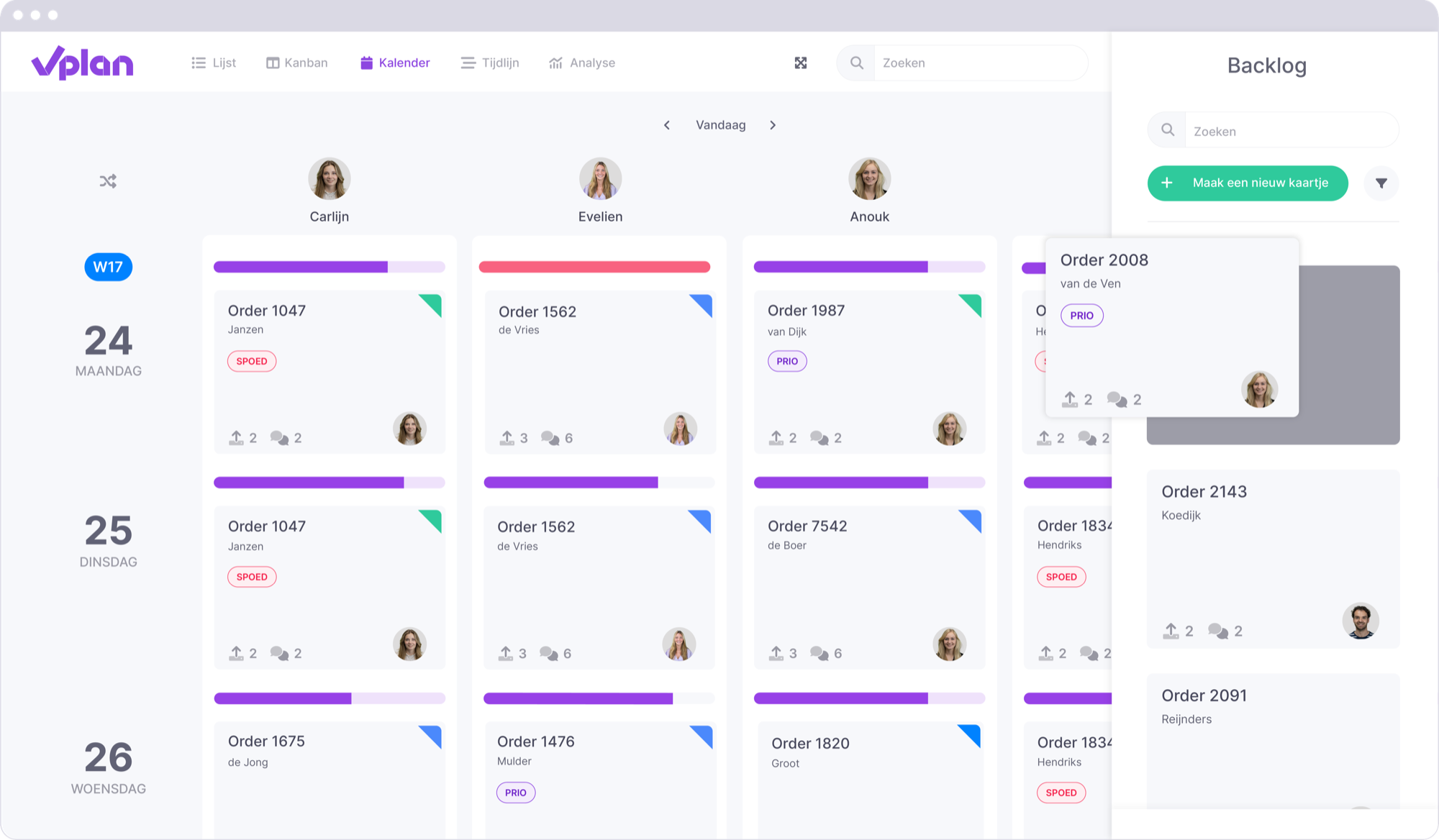
4. Start planning
Now that all your work is in the backlog of the planning board, you can start scheduling.
Because you have linked your resources to the planning board, you know exactly how much capacity is available for scheduling work.
Choose the view that gives you the most insight, such as a calendar view or a timeline view with insight into workload.
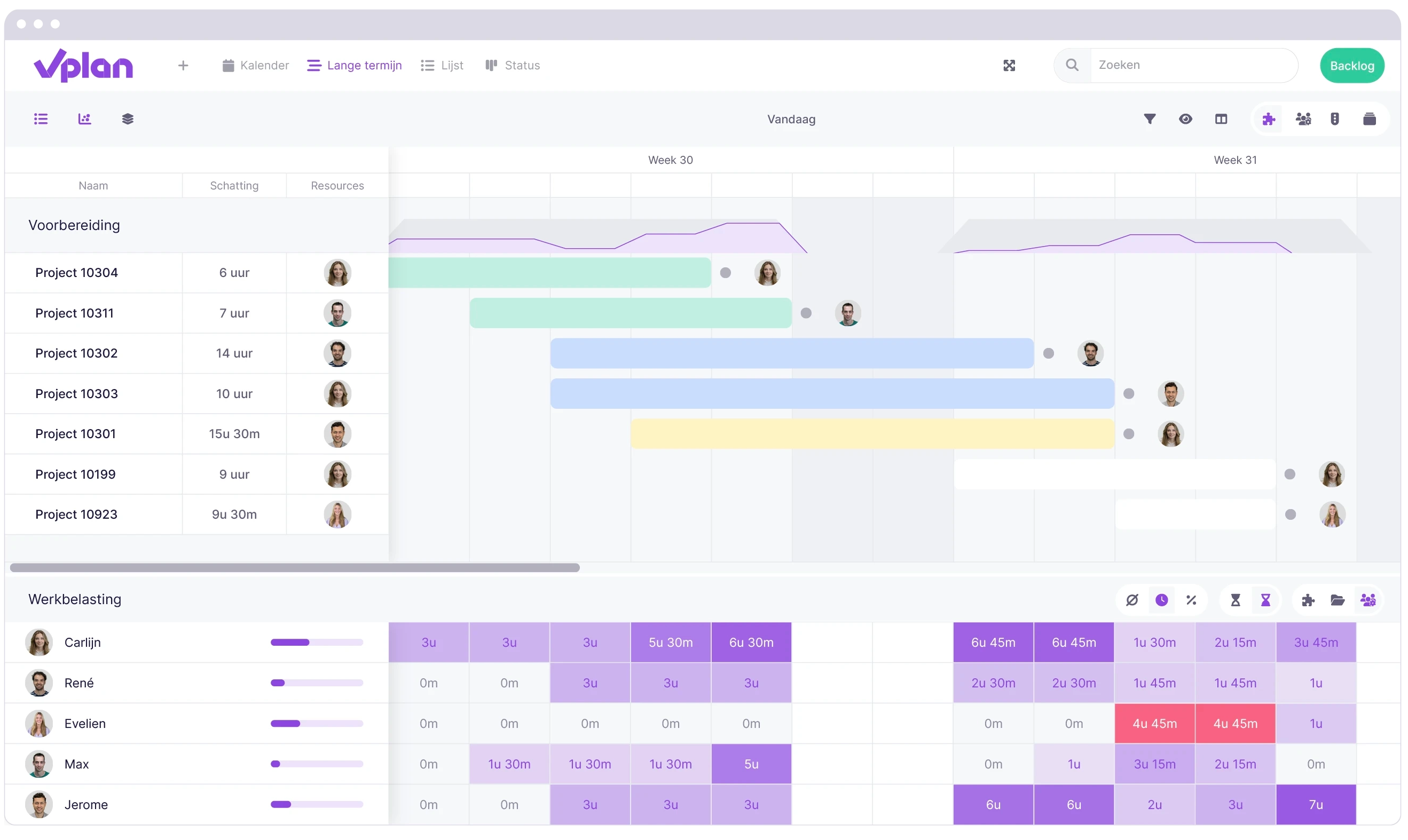
5. Monitor and adjust
As you execute the planning, continuously monitor capacity and workload. If you notice that you’ve run out of capacity or have allocated too much, you can easily shift work to a time when capacity is available.
This way, you always stay in control of your planning and can make timely adjustments where needed.

Control over your capacity, control over your planning
Good capacity planning ensures your team works efficiently, meets deadlines, and avoids unnecessary stress. By using your available resources wisely and continuously monitoring your planning, you maintain control over your workflows.
With vPlan, you can easily put your capacity planning into practice. You always have insight into your available capacity, schedule work clearly, and make immediate adjustments when needed. This way, you not only work more efficiently but also stay in control of your organisation.
Want to experience how vPlan can improve your capacity planning? Try it yourself and discover how easily you can optimise your workflows! 🚀

Work at vPlan
We are looking for new colleagues.


