



What is a planning tool and why do you need one?
A planning tool is software that allows you to centrally organise tasks, deadlines, resources, and communication. Modern solutions go beyond a simple to-do list: they offer automations, reports, and integrations that provide clarity and improve collaboration.
This helps you avoid duplicate work and ensures decisions are based on up-to-date information rather than gut feeling.
Benefits of a planning tool:
- Improved communication: all information is linked to the task, no more scattered emails or spreadsheets.
- Real-time progress: dashboards and status updates immediately show which tasks are falling behind and where adjustments are needed.
- Better resource planning: by linking capacity, availability, and skills to tasks, you can prevent overload.
- Risk management: planning tools help identify risks.
Top 5 planning tools of the moment
The choice of a planning tool often depends on the type of work you do. Are you a manufacturing company working with delivery dates, a creative team that wants to plan flexibly, or a large project team with complex dependencies? Below you will find the most popular tools of 2025, including their key benefits and who they are best suited for.
vPlan
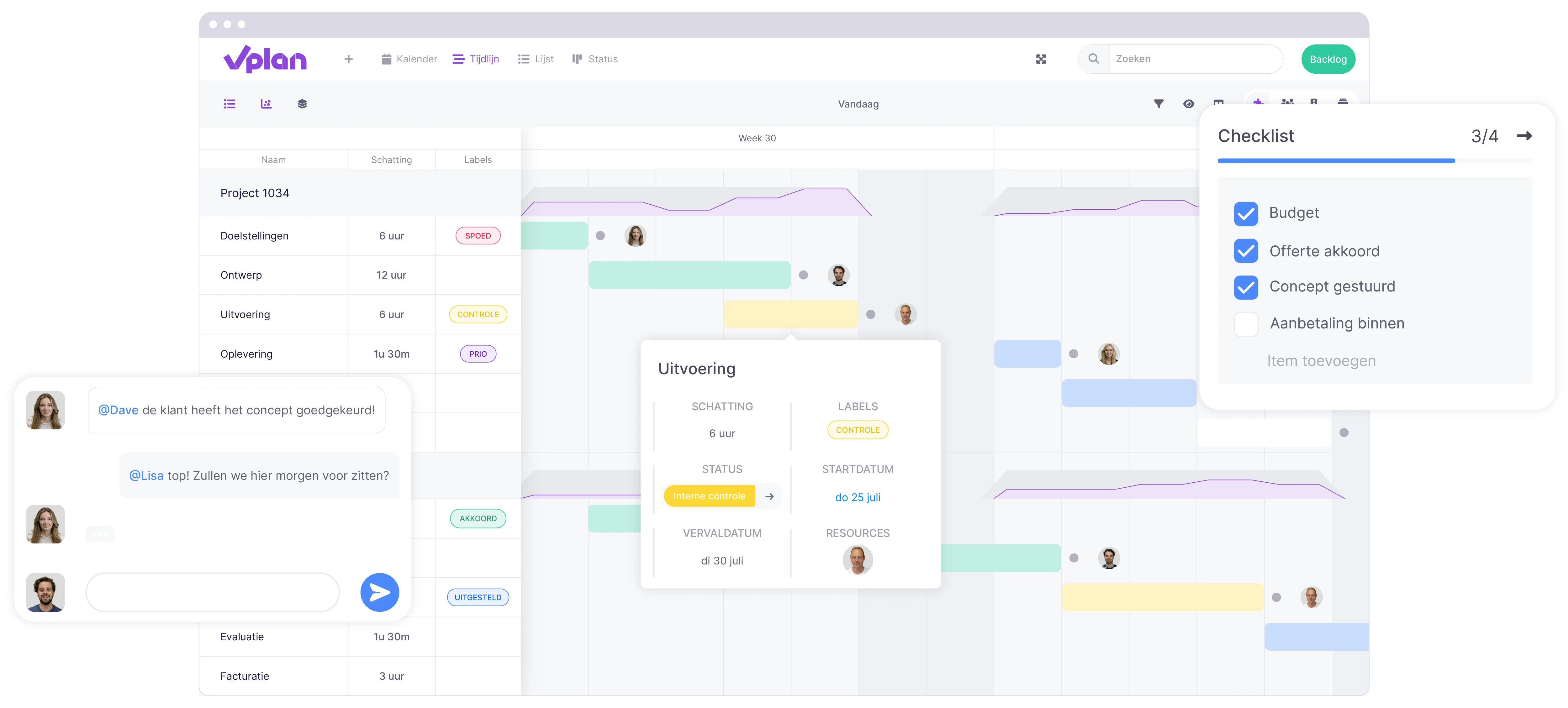
vPlan is the tool for teams that want to plan their work processes smartly and clearly. From production to project management: vPlan offers a visual planning system that lets you see at a glance what needs to be done. With the visual drag & drop planning, you can instantly see which tasks are scheduled and who is working on them. Ideal for planning capacity, resources, and deadlines.
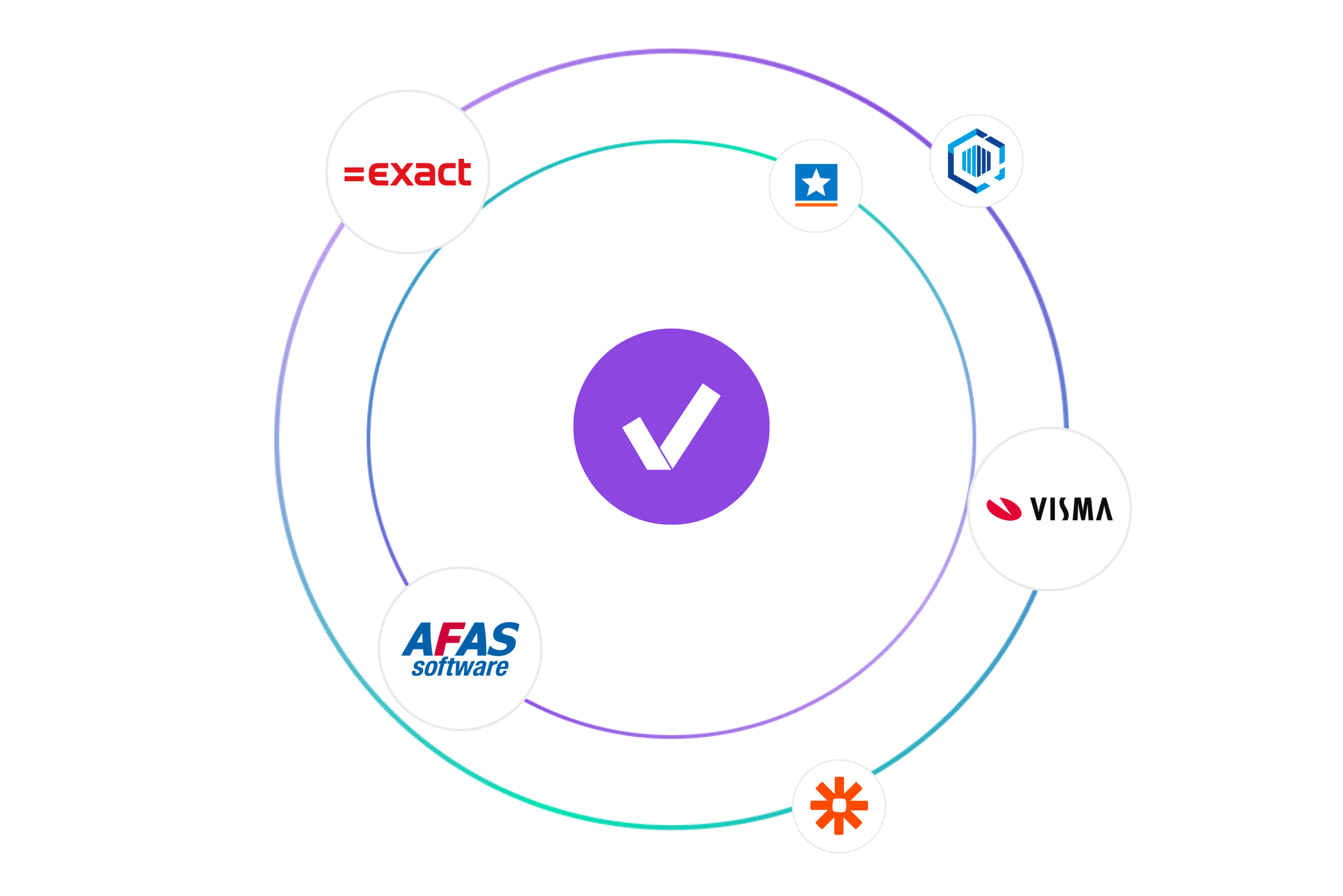
- Strong in: visual work planning, capacity management, and integrations with, among others, Exact, AFAS, and many more.
- Benefits: clear planning, real-time insight into progress, adaptable to various sectors.
- For whom: companies that want control over their work processes.
- Why choose vPlan: it combines the simplicity of a visual board with the power of integrations and reporting, enabling your team to collaborate more smartly and efficiently.
Monday.com
Monday.com is particularly suited to medium to large organisations that want to organise processes simply and clearly. It is more than a planning tool: you can build complete workflows and dashboards with it.
- Strong in: simplicity, resource planning, and automation.
- Benefits: visually strong, widely applicable, powerful automations.
- For whom: organisations that need a flexible yet comprehensive tool.
- Drawback: cost can increase with larger teams; data is hosted outside the EU by default (unless using higher-tier packages).
Trello
Trello is known for its simplicity. Using Kanban boards, you can drag cards from "To-do" to "Doing" to "Done". This makes it especially popular among smaller teams, freelancers, and start-ups looking for an accessible way to organise their work.
- Strong in: visual planning and simple collaboration.
- Benefits: well usable for free, flexible in use.
- For whom: teams mainly looking for an overview without extensive features.
- Drawback: less suitable for complex projects; data is often stored in the US (via Atlassian/AWS).
Asana
Asana is popular with creative and marketing teams, but also with larger organisations managing many ongoing projects. With task lists, boards, and timelines, you always have an overview of deadlines and dependencies.
- Strong in: task management, workflows, and project management.
- Benefits: intuitive interface, many integrations.
- For whom: teams managing multiple projects simultaneously and needing structure.
- Drawback: can be heavy for smaller teams; standard data centres are outside Europe, EU hosting only available in higher-tier subscriptions.
ClickUp
ClickUp focuses on teams that want everything in one platform: from planning and task management to documents, chat, and reporting.
- Strong in: multifunctionality (planning, docs, chat, reporting).
- Benefits: very comprehensive, suitable for all types of teams.
- For whom: companies that want one central tool instead of several separate apps.
- Note: versatility makes it complex to get started; EU data centre only available for Enterprise plans.
How do you choose the right planning tool for your situation?
Choosing a planning tool isn’t about picking “the most popular one”. It’s about finding the tool that best fits your workflow, budget, and integrations. To help you get started, we’ve put together a checklist you can use as a guide.
✅ Goals and scope
- Which projects or processes do I want to plan?
- Which features are truly essential?
✅ Number of users & scalability
- How many team members need access?
- Can the tool scale from 5 to 25 or more users without the costs becoming too high?
✅ Task and timeline management
- Can I assign deadlines, priorities, and dependencies to tasks?
- Is there a clear timeline or calendar view available?
✅ Resource and risk planning
- Can I link capacity, availability, and skills to tasks?
- Does the tool help prevent overload or unexpected bottlenecks?
✅ Automation
- Can I automate repetitive tasks?
✅ Integrations
- Does the tool integrate with my existing systems?
- Are integrations available with my ERP system or other software?
✅ Data & security
- Does the tool comply with GDPR and European security standards?
- Is data stored in an encrypted format?
✅ User-friendliness
- Is the interface intuitive and easy to understand?
- Can I test the tool for free with my team before making the switch?
Key features to look for in a planning tool
Not every planning tool is the same. The difference between a simple to-do list and a full project planner often lies in the features. So when making your choice, pay attention to the following elements:
Task management and multiple views
A good tool offers multiple views such as lists, Kanban boards, calendars, and timelines. This way, you can always choose the overview that suits your work.
Integrations and connections
The power of a planning tool lies in its integrations. Think of calendar, email, CRM or ERP, so your processes run seamlessly.
Collaboration and communication
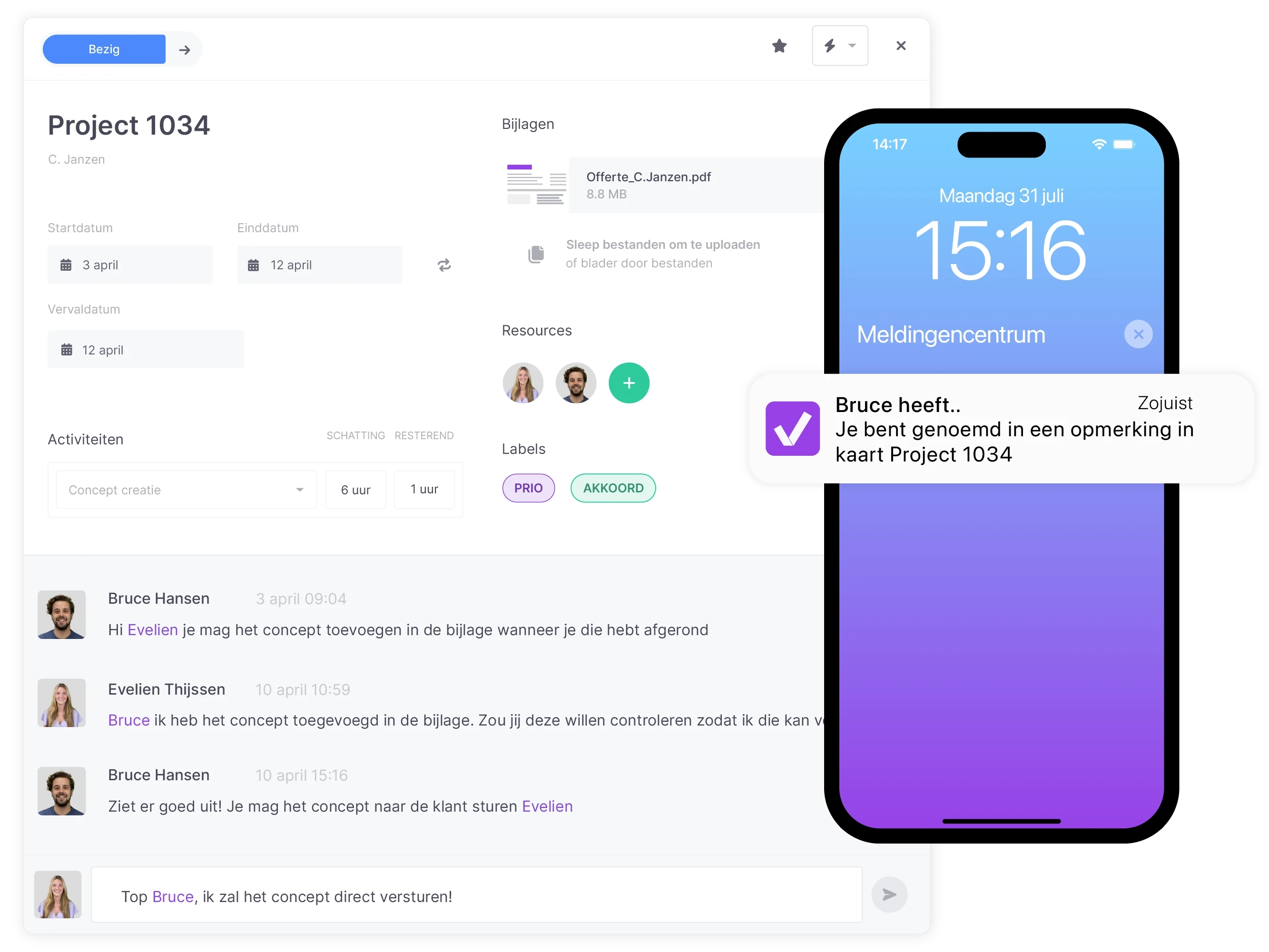
Keep communication and tasks together. With comments, @mentions, and shared tasks, you avoid scattered emails and chats.
Automation
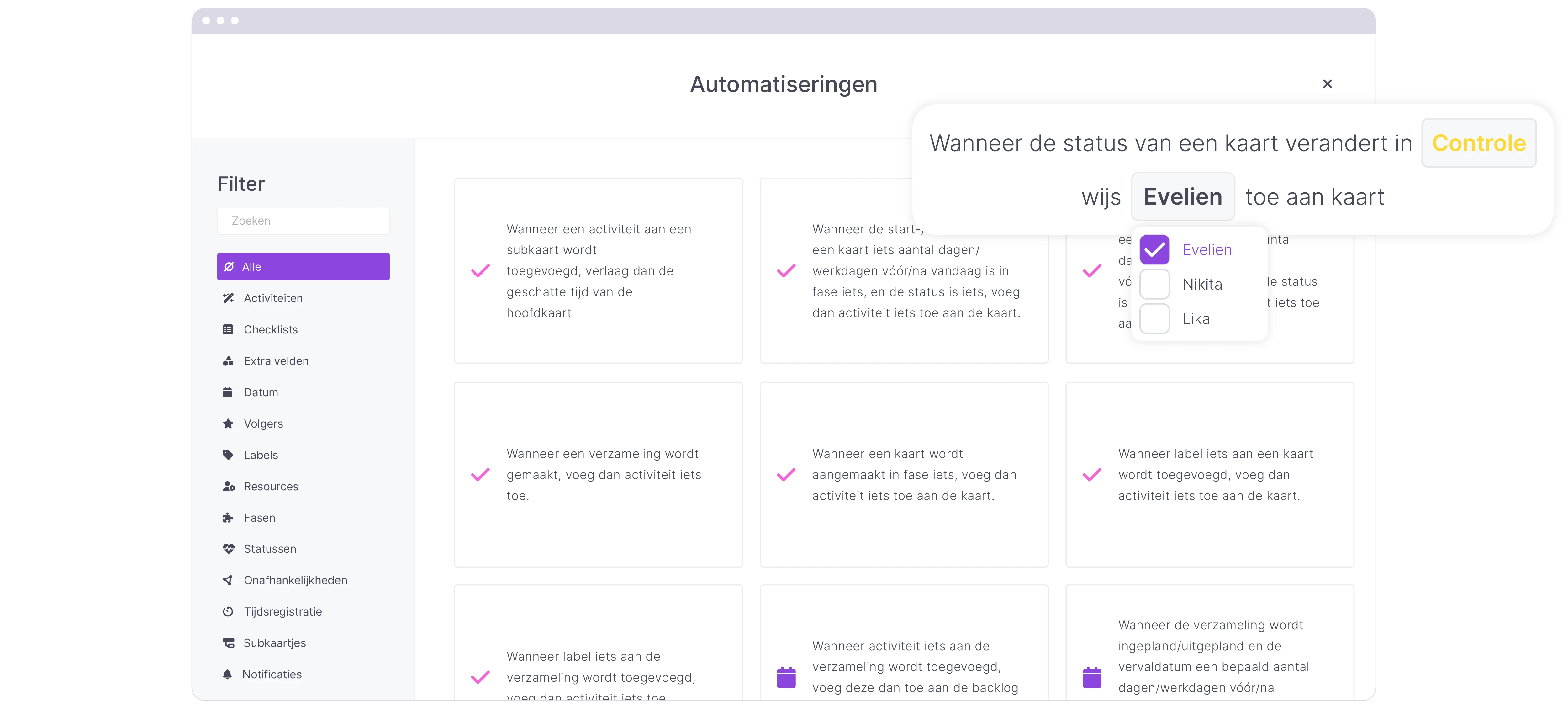
Let repetitive tasks run automatically. Think of recurring tasks, notifications, or automatic task assignment.
Capacity
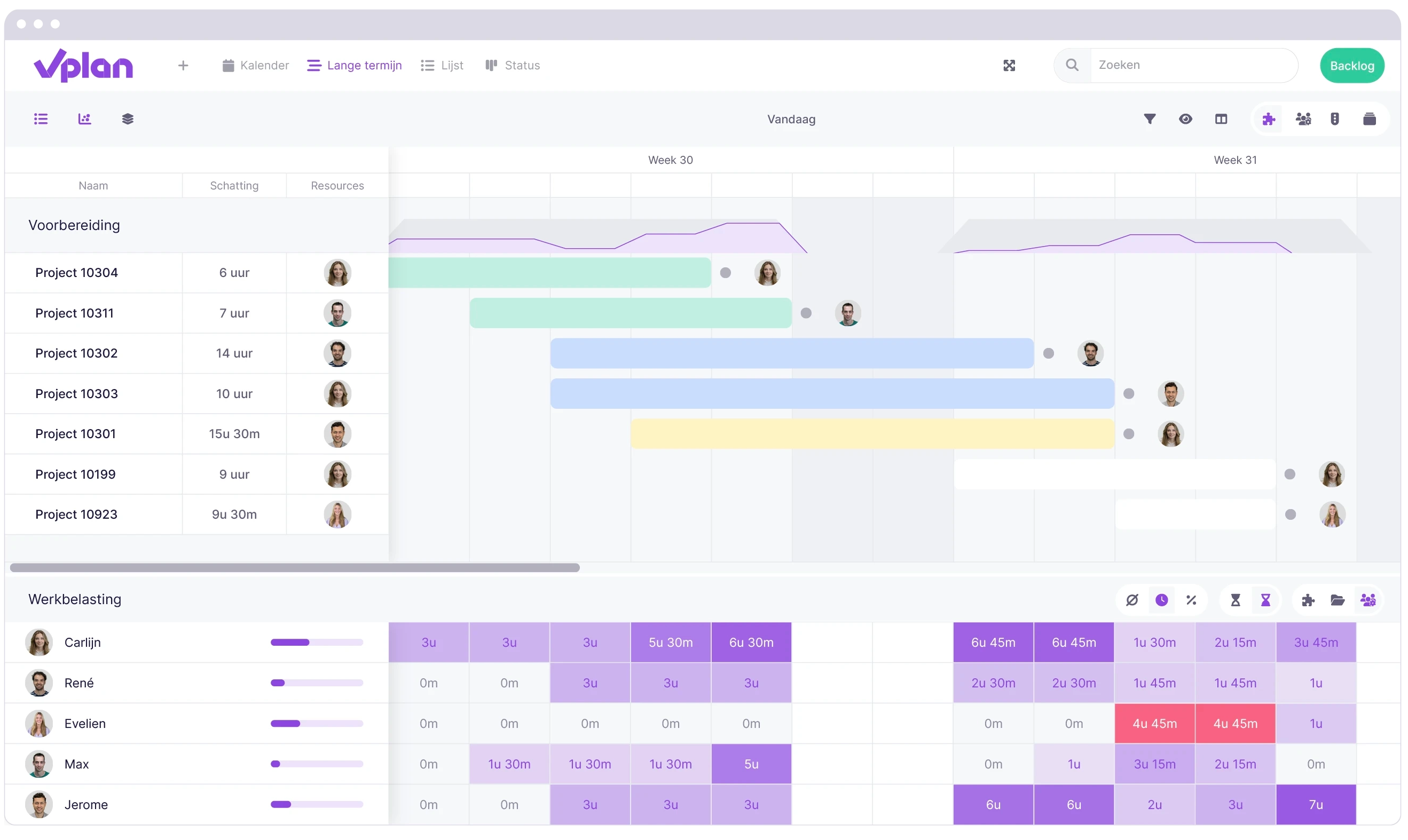
An effective planning tool not only helps you distribute tasks, but also maintain a balanced workload. With capacity planning features, you can see exactly how much work everyone is taking on and whether there is room for additional tasks or projects. This helps prevent overload, allows for more realistic planning, and ensures your team maintains a healthy work distribution.
Mobile access
In an era where hybrid working is the norm, a mobile app is virtually essential. This way, you always have your planning at hand, can update tasks on the go, and stay connected with your team wherever you are.
Reporting and dashboards
With dashboards, you can see progress, capacity, and bottlenecks at a glance, allowing you to manage and plan more effectively.
Free vs paid tools: what suits your workflow?
Many tools offer a free starter version to test basic features. Handy for small teams, but often with limitations: limited users, fewer projects, fewer views, or restricted storage.
Paid subscriptions unlock, among other things:
- Fewer restrictions on users and projects
- Advanced functionalities
- Comprehensive reports and dashboards
- Higher level of security and support.
For small teams and freelancers, free is often sufficient. Growing organisations are more likely to choose paid options, as they need more capacity and flexibility.
Tips to get more out of your planning tool
A planning tool only delivers real results when used smartly. With the tips below, you’ll ensure that you not only plan, but also work more productively and efficiently.
- Use templates - start projects faster and more consistently.
- Customise workflows - let the tool reflect your processes.
- Integrate systems - connect calendars, CRM, and accounting.
- Automate - save time with triggers and rules.
- Monitor capacity - prevent overload and plan realistically.
- Use mobile apps - work with your planning anytime, anywhere.
- Evaluate projects - learn from reports and continuously improve.
Common mistakes when using planning tools
Even with the best planning tool, things can go wrong. Often, this isn’t due to the software itself, but to the way teams use it. These are the most common pitfalls and how to avoid them.
- No clear goals -> always set SMART goals.
- Unclear responsibilities -> assign each task to one owner.
- Scattered communication -> use the tool as a central hub for information.
- Poor resource planning -> monitor capacity and skills.
- Scope creep -> define how you manage changes.
- Speed over quality -> focus not only on deadlines, but also on content.
- No evaluation -> schedule a retrospective to avoid repeating mistakes.
- Stuck with the wrong tool -> choose a scalable solution.
- No automation ->make use of smart features to save time.
Conclusion
A good planning tool helps you work smarter, collaborate better, and gain more control over your work. vPlan is the ideal choice for planning all your business processes thanks to its combination of clarity, flexibility, and powerful integrations.
Try vPlan free for 14 days and discover how to organise your working day more efficiently.
Frequently asked questions
What is a planning tool?
A planning tool is software that allows you to manage tasks, projects, and resources in a clear and organised way. It goes beyond a to-do list: you can centrally organise deadlines, dependencies, capacity, and communication.
Which planning tool is best suited for the Netherlands and Europe?
For European companies, it’s important that a planning tool complies with GDPR regulations. vPlan is a strong choice as it is developed in the Netherlands and integrates well with widely used systems like AFAS and Exact. International tools such as Asana, Trello, and Monday.com are also widely used, but be mindful of where the data is hosted.
Why use a planning tool instead of Excel or spreadsheets?
Spreadsheets are useful to start with, but quickly become unclear as projects grow. A planning tool provides real-time insight, collaboration within one platform, and helps prevent errors or duplicate work. Read more here about how to make a successful transition.
What are the key features of a planning tool?
Key features include: task management, timelines, collaboration within tasks, integrations with other systems, automations, mobile access, and dashboards for tracking progress and capacity.
Are planning tools safe to use in Europe?
That depends on the provider. European tools like vPlan are fully aligned with GDPR. International tools are often compliant, but sometimes store data outside Europe. Always check the data location and whether a Data Processing Agreement (DPA) is available.
Do planning tools also work for small businesses or freelancers?
Absolutely! Many small organisations use planning tools to keep an overview of tasks, appointments, and deadlines. For larger teams, features like resource planning and automations become increasingly important.

Work at vPlan
We are looking for new colleagues.


